download
What CodeDrive is?

What CodeDrive is?

CodeDrive is a new smart development environment for professional Flash coding. CodeDrive is based on Eclipse platform and gives you complete coding comfort with intelligent code completion, smart search and source code management.

CodeDrive made completely for Flash developers and offers them state of art coding facilities to achieve maximum productivity in their projects. CodeDrive was created by iSpring Solutions, company focused on Flash technology since its foundation.

CodeDrive includes it's own source code compiler fully compatible with ActionScript 2.0 and allows you to build your Flash movies without any third party tools.

Features of CodeDrive 1.0

Features of CodeDrive 1.0

CodeDrive is not overloaded with a great number of redundant features, which will bother and detract you. We specially optimized CodeDrive functionality to focus you on value features of the product.

Coding

Intelligent Code Completion

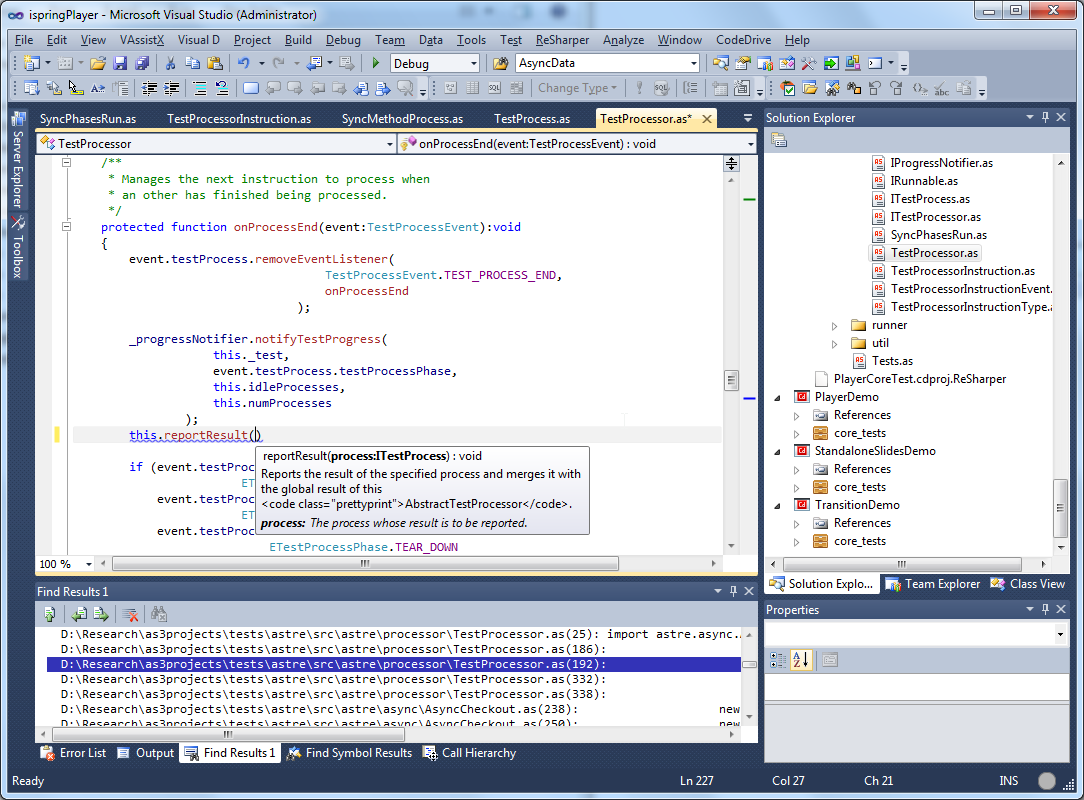
Most of professional developers can not imagine their work without autocompletion of code during typing. CodeDrive Intelligent CodeAssist does it perfectly supporting the following features.

Autocompletion of keywords and global functions
Autocompletion of import declarations
Autocompletion of class names, class members (methods and fields)
Method parameters hint (parameter names and types)

CodeDrive CodeAssist always gives you the best autocompletion offering completing your code on the fly and using the following information from editor.

Typed text
Cursor position
Scope
Type of variables and classes
Already used values (for import declarations)

Code templates

Templates are sections of code that occur frequently enough that you would like to be able to insert them with a few keystrokes. CodeDrive allows you to create a code for such frequently used constructions of ActionScript language quickly. You can use predefined templates (new loop, new method, etc.) or create your own ones.

Smart Search

Smart Search allows you to find references and occurrences of ActionScript elements (packages, types, methods, fields) through your whole project.

Class Wizard

Class Wizard helps you to create a new ActionScript class in a CodeDrive project and generates its code automatically.

Interface Wizard

Interface Wizard works similar to Class Wizard and generates autmatically an interface with specified attributes/methods.

Project Wizard

A project can be targeted to one of the supported Flash Player versions (7.0, 8.0 or 9.0). Project Wizard creates a new CodeDrive project and assigns proper classpath which correspond to the selected player.

Package Wizard

Package Wizard provides the fast and easy way to create an ActionScript package with corresponding folders.

Building

Fast ActionScript Compiler

CodeDrive uses the fast MTASC ActionScript 2.0 compiler for compiling source code into Flash byte code.

Fast Flash Publisher

CodeDrive uses ActiveSWF for Flash content building. ActiveSWF is a proven solution for SWF file generating and one of the fastest in the market.

Resource Management

CodeDrive manages your project resources using XML file in the ActiveSWF format. Once resources are specified in the XML file, they may be used in your CodeDrive application.

Testing

Flash console

Flash console displays textual output of your running Flash application in CodeDrive window. It makes the testing process more convenient and efficient.

Integrated Flash Player

Allows you to run and view a generated Flash file directly in your CodeDrive environment immediately after building.

Download & Installation

Download & Installation

Accelerate yout Flash development process with CodeDrive. Download a full-featured version now.

CodeDrive Eclipse Plug-In
Operating System
Size
Installation
CodeDrive_eclipse_plugin.zip Windows 2000/XP/2003/Vista 4.7 MB instructions
CodeDrive Standalone
Operating System
Size
Installation
CodeDrive.exe Windows 2000/XP/2003/Vista 45 MB
CodeDrive Standalone + JRE
Operating System
Size
Installation
CodeDrive_with_JRE.exe Windows 2000/XP/2003/Vista 59 MB
Screenshots

Screenshots

Intelligent Code Completion

click to enlarge
Quick Outline

click to enlarge
Resource Management

click to enlarge
How it works

How it works

CodeDrive uses power of Eclipse platform and ActiveSWF technology to deliver Rapid Application Development (RAD) tool to Flash developers.

Technology of CodeDrive
Post you feedback

Post you feedback

We welcome your feedbacks here. Your suggestions and comments help us to focus our development and improvement efforts on finding smart solutions to the users' main needs.

Features

Coding
Building
Testing
Roman Petrov
Software Analyst,
CPS Labs

You will never have to drink extra cup of coffee waiting while your project is being built. CodeDrive performs it in seconds.

System requirements

Intel Pentium4 Processor

Microsoft Windows XP with Service Pack 2, Windows XP Professional, Windows 2000 Server, Windows 2000 Pro, Windows Server 2003 or Windows Vista

512MB of RAM (1GB recommended)

300MB of available hard disk space to install

Java Virtual Machine: Sun JRE 1.4.2 (or higher), IBM JRE 1.4.2 (or higher)

Eclipse 3.2